
You can now let your AI agent place trades from your own Tria account.
Meet Agentic Trading on Tria, which lets you connect a supported AI agent, give it trading instructions or set up a strategy, and let it open and close perpetual futures positions for you.
You can follow those positions right in the app, and the best part is that your account stays self-custodial while your agent gets permission to trade, never withdraw your funds.
Follow the Tria API documentation to set up your AI agent, or keep reading to see how Agentic Trading works.
Your AI Can Now Place Trades for You
Your next trade can start with a prompt to your AI agent, and you can choose which tool you use.
Claude, Codex and Cursor are just a few examples. You can also connect other AI tools through Tria’s Trade SDK to open and close perpetual futures positions on Hyperliquid or Decibel from your own Tria account.
Once connected, you can give your agent instructions for a specific trade or configure a strategy for it to follow. Whether it needs your approval before placing a trade or can keep a strategy running depends on the tool and how you set it up.
And you can follow your agent’s positions right inside the Tria app, keeping your trading activity in one place.
Your Funds Stay in Your Account
Now, you might be wondering what happens to your funds when you give an AI agent permission to trade.
This is where Tria does things differently.
Your AI agent trades from your own self-custodial account, which means you don't need to move your funds into a separate wallet controlled by the agent.
When you connect an agent, you create a trading key that gives it permission to open and close positions, but not withdraw funds.
You also get to decide how long that permission lasts and can revoke the key whenever you want to stop the agent from trading.
Of course, trading still comes with risks. Your agent can make losing trades just like any other trader, so keeping control over its permissions doesn't mean your funds are protected from trading losses.
Getting Started With Agentic Trading
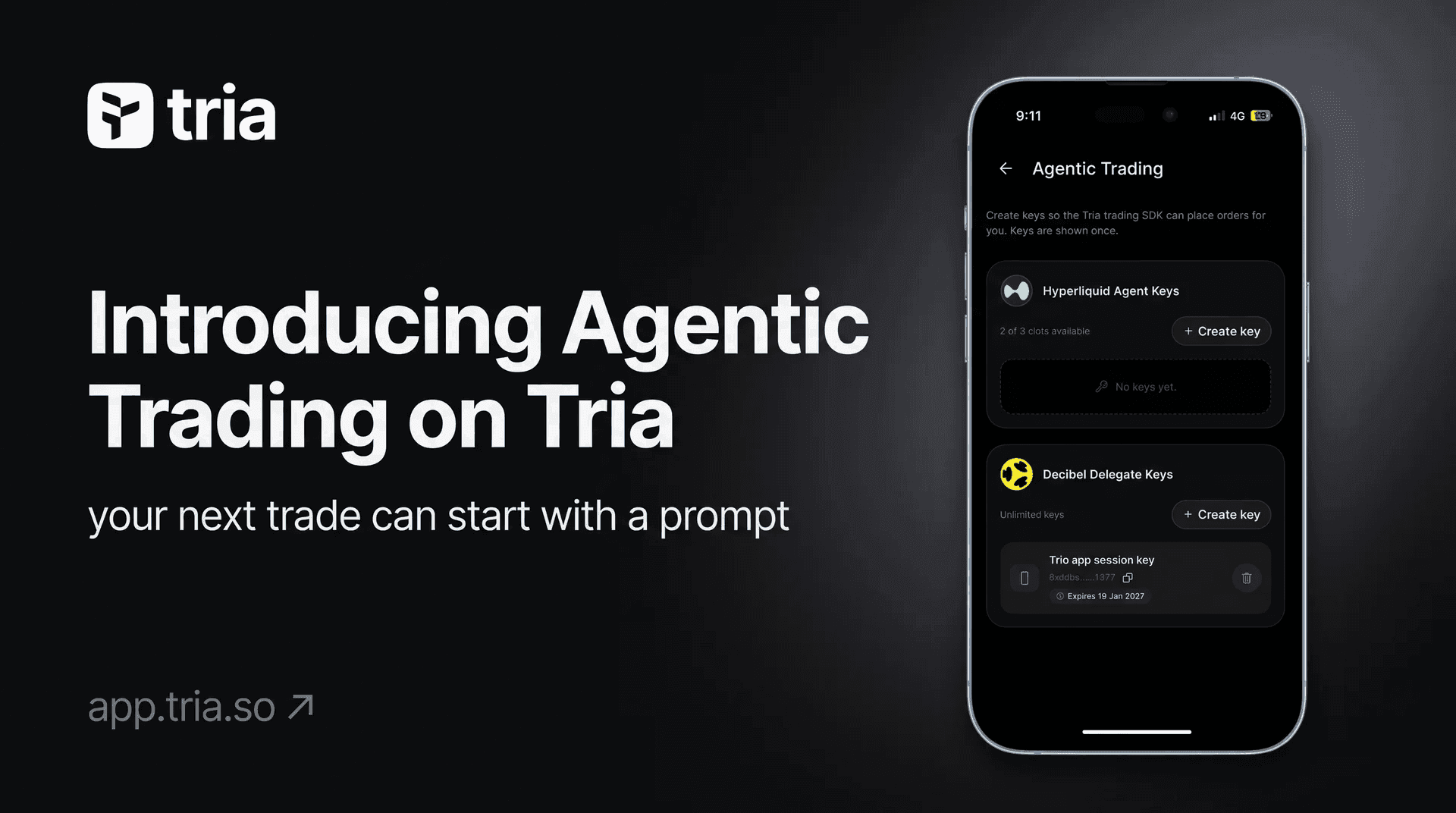
We've made it possible to manage your agent's trading access directly from the Tria app.
Here's how you can set it up:
- Open your Tria app and head to Settings → Agentic Trading.
- Choose your preferred supported trading venue and select Create Key.
- Review the permissions your agent will receive before continuing.
- Give your trading key a name, choose how long it should remain active, and create it.
- Copy your key securely and follow the Tria API Trading documentation to connect your supported AI tool.
Once connected, your agent can execute supported trading instructions, and you'll be able to follow its positions from your Tria account.
If you ever want to stop, you can revoke the trading key directly from the app.
A New Way to Trade With AI
Once you've decided how you want to trade, you shouldn't have to keep watching the charts just to place every order yourself.
With Agentic Trading on Tria, you can build a trading strategy, set your conditions, and let your AI agent handle the execution while you keep control of your account.
Whether you're experimenting with AI-powered strategies or already using trading bots, you can now automate supported perps trades without giving your agent permission to withdraw your funds.
Build your strategy and let your AI handle the trading, all from your own Tria account.
Learn how to connect your AI agent on Tria.
FAQs
What can I do with Agentic Trading on Tria?
You can connect a supported AI agent or trading bot to open and close perpetual futures positions on Hyperliquid or Decibel through your own Tria account. You can follow those positions in the Tria app. Supported actions and order types vary by venue. See the trading documentation.
What do I need to get started?
You need an eligible Tria account, sufficient funds in your chosen venue’s trading account, an active trading key and a compatible AI tool or bot configured to use it. Creating a key is only part of the setup. The current AI setup guide covers Claude Desktop and Cursor. Decibel’s SDK connection also requires a Geomi API key, as explained in the connection requirements.
Can my agent withdraw my funds?
A dedicated trading key does not give your agent permission to withdraw. Your account stays self-custodial, but the agent can still place trades that lose money or lead to liquidation. Trading permission is real access to your trading account, so only connect tools you trust. See the permission model.
Will my agent start trading automatically when I create a key?
No. A key gives your agent permission to trade; you still need to connect it and configure what it should do. Whether trades need your approval, and whether a strategy keeps running, depends on your AI tool or bot and its setup. See how the AI connection works.
How do I stop my agent from trading?
You can revoke its trading key through Tria. Afterwards, check your open orders and positions separately. If you want to exit the market, confirm that any orders you want cancelled and positions you want closed have actually been processed. See the key management guide.
What does it cost?
The documented SDK setup includes a Tria builder fee, a fee attached to trades routed through the SDK. Venue trading fees and funding payments may also apply. Decibel’s SDK connection additionally needs APT for network fees or a separately configured gas sponsor. See the SDK fee information and Decibel setup requirements.
Terms & Conditions
-
You must be eligible to trade.
You must be at least 18, complete the required account verification and meet the legal and eligibility requirements for your location and chosen trading venue. Tria’s Terms of Service, Futures Trading Terms and the venue’s rules apply.
-
Protect the access you give your agent.
Use a dedicated trading key through the supported setup. This key allows trading but does not allow withdrawals. Keep it private, never paste it into an AI conversation and revoke it if you suspect someone else has access. See the security guidance.
-
Your agent trades with real funds.
The documented setup uses live markets, not a practice account. AI can misunderstand instructions or make mistakes, and leveraged trading can lead to liquidation and loss of your trading collateral. Agentic Trading does not guarantee returns or provide investment advice.
You are responsible for all orders placed using your trading key, whether by your AI tool, a bot or anyone else who has access to it. Your AI tool is provided by a third party under its own terms, and Tria does not control it and is not responsible for its decisions or any resulting losses.
See the network configuration and trading risks.
-
Check your positions when ending access.
You can revoke your trading key through Tria. Do not treat revocation or expiry as confirmation that existing orders have been cancelled or positions have been closed. Check both separately and confirm that any cancellation or closing action has completed. See key management.
-
Rewards count only for trades placed with Tria's builder address.
Tria points, VIP progress, competition entries and other Tria trading rewards apply only to trades that carry Tria's builder address. Trades placed through Tria's Trade SDK or AI setup include it automatically. If you use your trading key directly with a venue or another tool instead, you must add Tria's builder address to every order yourself, or those trades will not count towards any Tria rewards. Tria's builder addresses:
- Hyperliquid:
0x9f83fe01f4a62d44e8ca471e2eeb42b5c05531d9 - Decibel:
0x8de28fda1616c70073354755c124b7fbe1557989877983a5008bfcc50e160900
Tria cannot add rewards for trades placed without the builder address after the fact.
- Hyperliquid: